
You tagged your files. Now what?
macOS Finder has had tags for years, but Finder itself gives you almost no way to actually search with them beyond a single tag at a time. All that color-coded organizing effort, and you still can’t ask “show me files tagged both A and B, but not C.” That gap is why I built TagFinder.
What TagFinder does
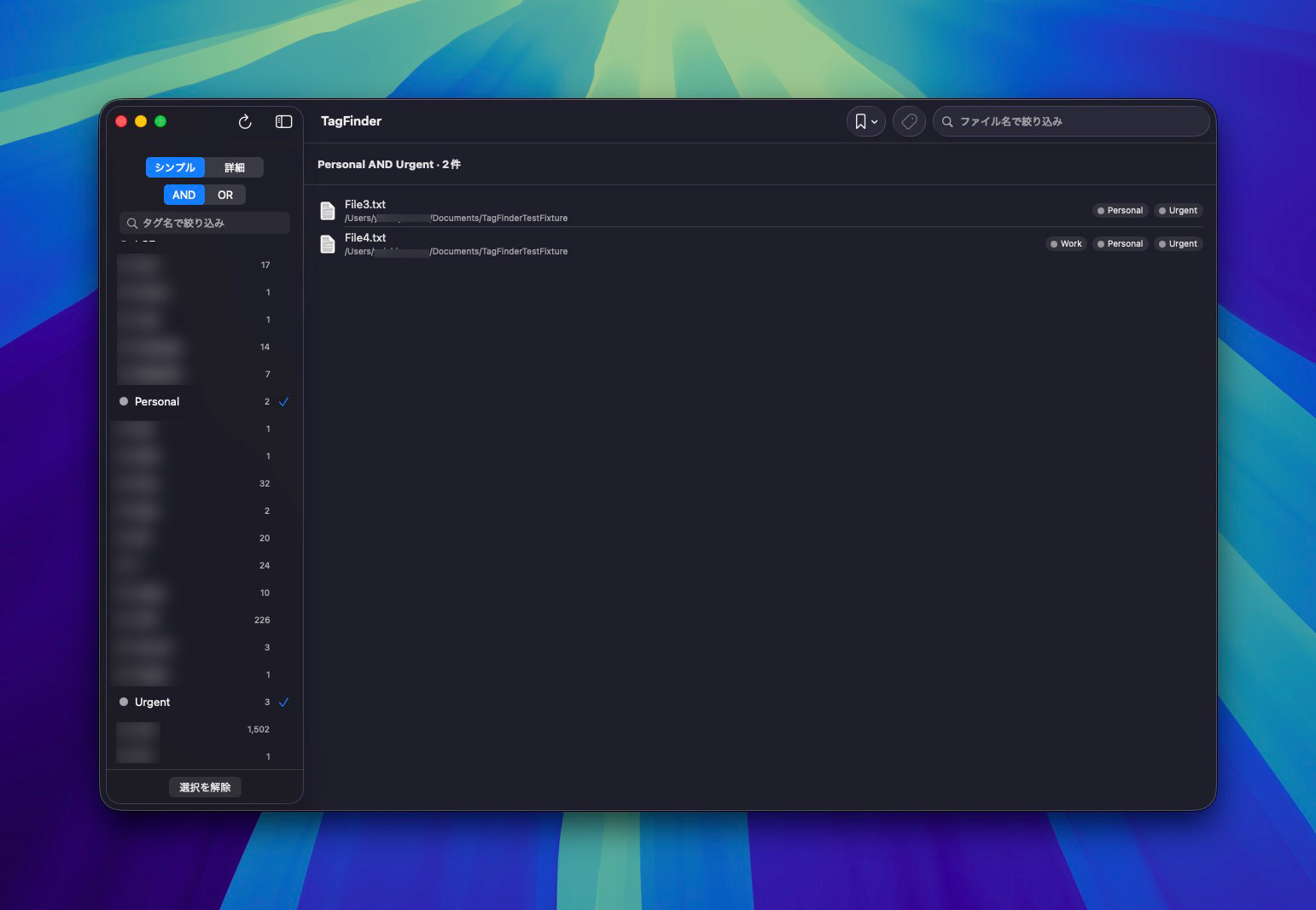
- Lists every tag on every local volume (including external drives), with a file count next to each one.
- AND / OR filtering: pick multiple tags from the sidebar and narrow results down to files that match all of them, or any of them.
- Advanced search mode: build compound boolean expressions like
(A AND NOT B) OR (C AND D) OR Eusing a group-based condition builder — click a chip to toggle it to NOT (exclude). - Saved searches: name a condition and save it from the toolbar’s bookmark menu, then recall and edit it later. Saving under an existing name updates it in place.
- Incremental filtering by tag name and by file name as you type.
- Quick Look integration: select a result and hit the space bar to preview it; arrow keys move between previewed files.
- Tag editing right from the app: toggle existing tags on the selected file or create new colored tags, via the toolbar button, Cmd+T, or the “T” key while Quick Look is open — existing tag colors are preserved.
- Double-click to open, right-click for “Reveal in Finder” or “Copy Path.”
- A settings panel (Cmd+,) lets you switch the UI language (Japanese/English), how tags display in the sidebar, and how result rows are shown.
Requirements
- macOS 15.6 or later
- Full Disk Access permission (System Settings → Privacy & Security → Full Disk Access) — needed to search tags outside your home folder and on external volumes via Spotlight
- Spotlight indexing enabled on the volumes you want to search
Under the hood, TagFinder queries Spotlight through the same low-level MDQuery C API that mdfind uses, rather than NSMetadataQuery, so it’s fast and behaves consistently with how Finder itself sees your tags.
Installing it
The distributed zip is signed and notarized by Apple. Download it from GitHub Releases and it just runs — no Xcode required, no security warnings.
- Download: GitHub Releases – TagFinder
- Source: github.com/yamachan03/TagFinder
- License: MIT
Who this is for
- Anyone who tags files in Finder but finds the built-in search too limited.
- Anyone with a large photo or document library tagged with multiple overlapping categories.
- Anyone who’s thought “wait, which files have both this tag and that one?” more than once.
Full source is on GitHub — stars, feedback, and Issues are all welcome.


コメント